Butch Order Notifications: SMS Opt-In
Last updated: October 19, 2026
Privacy Policy · Terms and Conditions · support@butch.pro
Butch Order Notifications is an SMS program operated by Butch (butch.pro). It sends transactional text messages to customers about their own orders with butcher shops that use Butch: order-ready notices, pickup confirmations, cut sheet requests, and appointment reminders. Messages may include a link to the customer’s order page on butch.pro. No marketing or promotional messages are sent. Customers give consent directly to Butch. Text messages are optional; customers who do not opt in still receive the same updates by email.
Consent disclosure shown directly beside the opt-in checkbox:
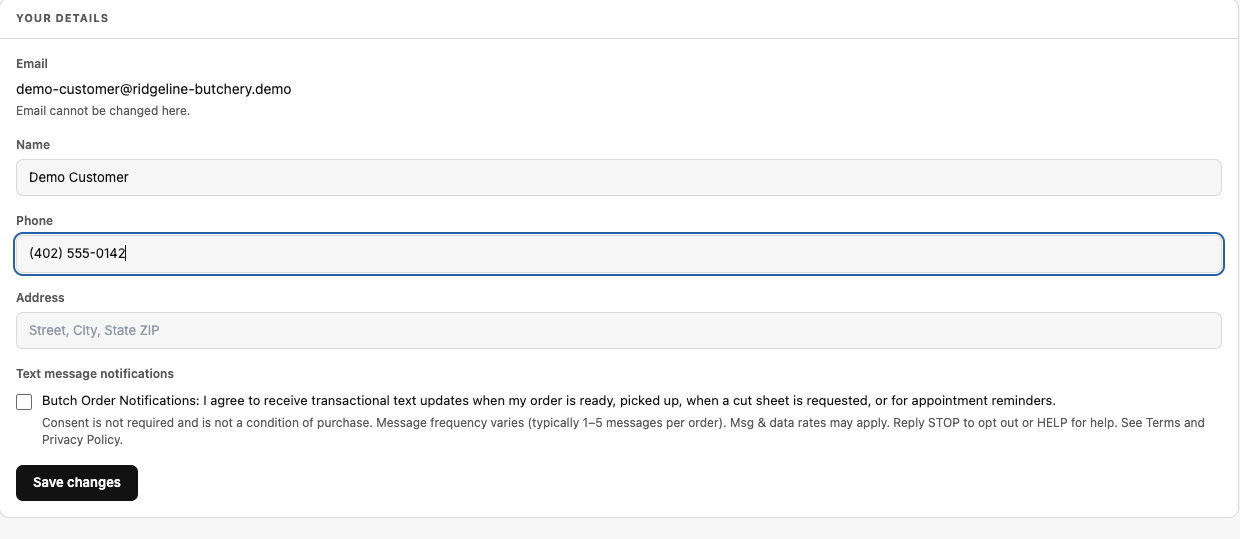
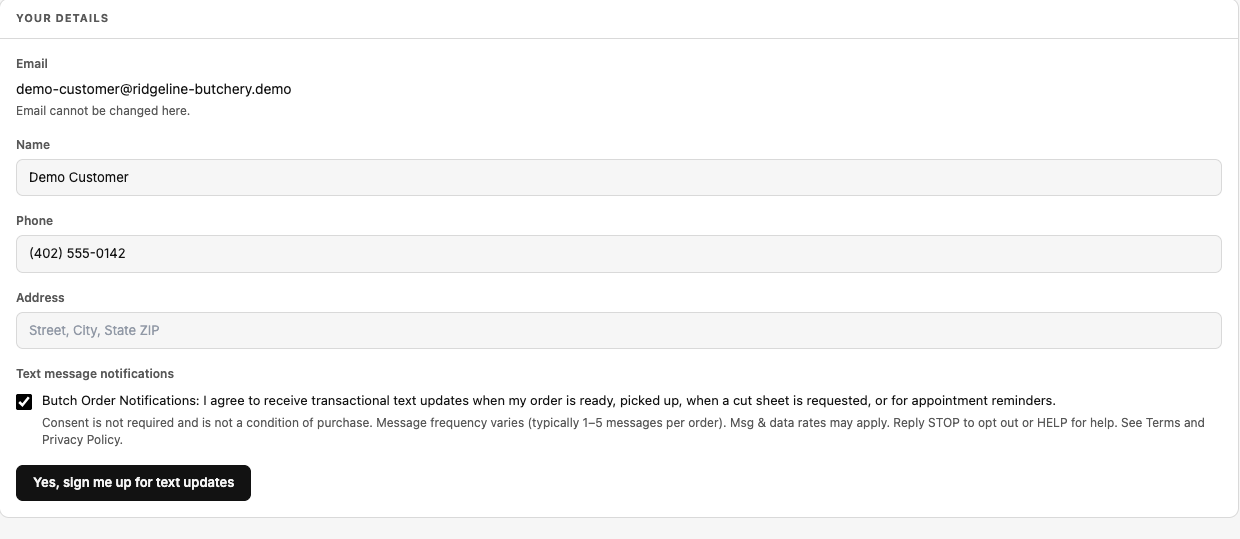
☐ Butch Order Notifications: I agree to receive transactional text updates when my order is ready, picked up, when a cut sheet is requested, or for appointment reminders.
Consent is not required and is not a condition of purchase. Message frequency varies (typically 1–5 messages per order). Msg & data rates may apply. Reply STOP to opt out or HELP for help. See Terms and Privacy Policy.
There are two ways a customer can opt in. Both use a separate checkbox that is unchecked by default, with the full disclosure placed directly beside it. The screenshots below are taken from the live Butch application and show exactly what customers and staff see. The opt-in screens themselves sit behind a sign-in, which is why they are reproduced here.
1. Customer portal (self-service)
A customer signs in to the Butch customer portal at butch.pro/portal/account and opens Your details. When they enter or update their mobile number, they can check the text-notification box:
2. At the butcher shop (in person)
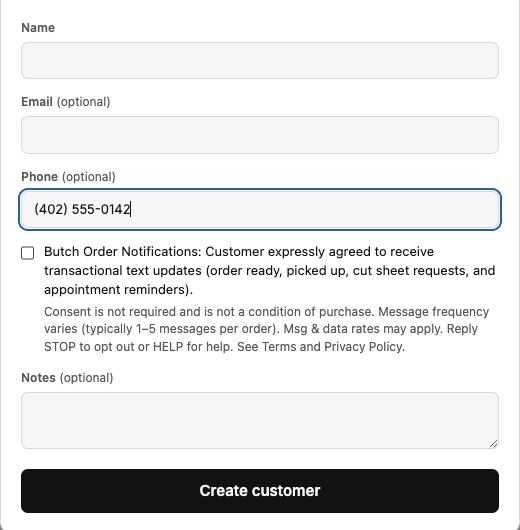
When a customer drops off an order in person, shop staff may enter their phone number in Butch. Staff check the box below only after the customer expressly agrees in person to receive text updates. The box appears only once a phone number has been entered:
Consent records
Butch stores the time and source of every opt-in (customer portal or shop staff). Consent is never pre-checked and is never required to place an order.
Opting out and getting help
- Reply STOP to any message to stop receiving texts. The customer gets one confirmation message and no further texts are sent.
- Reply START to opt back in.
- Reply HELP for help, or email support@butch.pro.
- Customers can also uncheck the box in the customer portal at any time.
Example messages
- Example Butcher: Your order #1234 is ready for pickup. Details & pickup: https://butch.pro/o/3f2a9c1e-7b4d-4e8a-9c2f-1a2b3c4d5e6f Reply STOP to opt out.
- Example Butcher: Please fill out your cut sheet for order #1234: https://butch.pro/o/3f2a9c1e-7b4d-4e8a-9c2f-1a2b3c4d5e6f Reply STOP to opt out.
- Example Butcher: Order #1234 picked up – thank you! Reply STOP to opt out.
- Example Butcher: Reminder – your pickup appointment is tomorrow, July 29, at 3:00 PM. Reply STOP to opt out.
Links in messages go only to the customer’s own order page on butch.pro.
Privacy and terms
No mobile information will be shared with third parties/affiliates for marketing/promotional purposes. All the above categories exclude text messaging originator opt-in data and consent; this information will not be shared with any third parties.
Read the full Privacy Policy and Terms and Conditions (including the SMS program terms).